ON THIS PAGE
Progress0%





Our Global Presence :



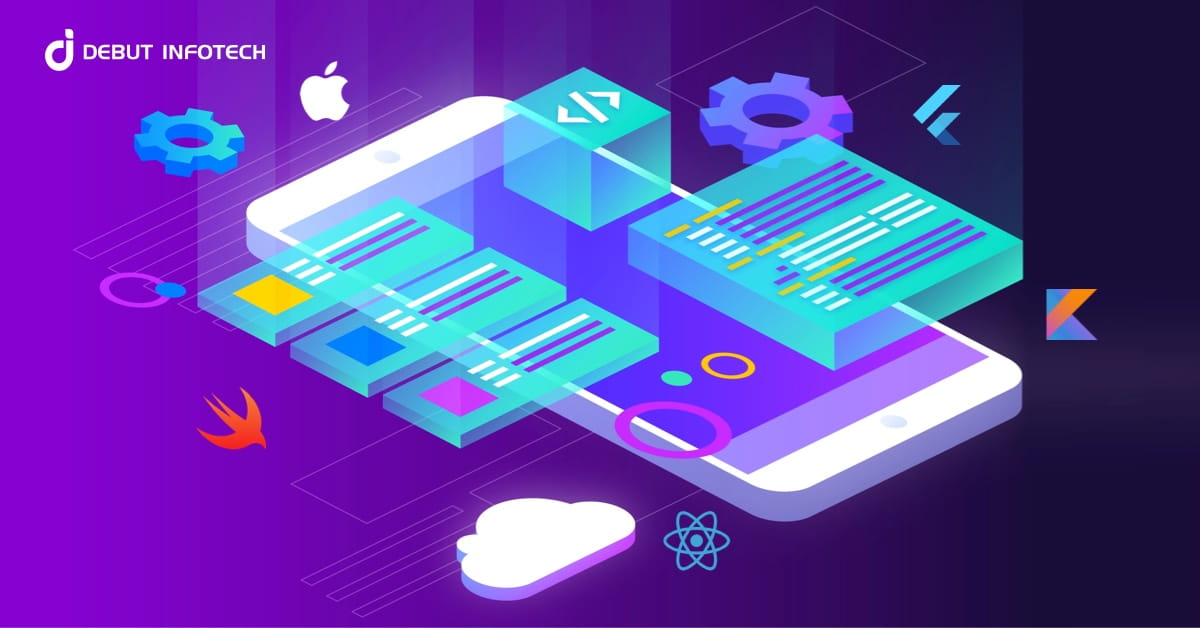


Choose an iOS technology stack based on business requirements: Swift, SwiftUI, UIKit, backend technologies, and databases should align with your app's features, budget, and long-term goals.
Compare native and cross-platform development before committing: Native iOS development offers close integration with Apple technologies, while Flutter and React Native enable code sharing across iOS and Android, depending on project requirements.
Match backend and database technologies to application needs: Node.js, Vapor, Python, Java, PostgreSQL, and Firebase serve different purposes based on business logic, data relationships, synchronization, and existing infrastructure.
Evaluate the total cost of iOS app development, not just initial coding expenses: Third-party API charges, integrations, testing, hosting, infrastructure, and post-launch maintenance all contribute to the overall investment.
Prioritize security, compatibility, and integration requirements: Review SDK compatibility, authentication, data protection, external APIs, and existing business systems before finalizing the technology stack.
Plan for scalability and long-term maintainability: Consider future features, platform expansion, dependency updates, developer availability, and data migration requirements to reduce avoidable technical rework.
Select development tools that support quality and performance: Xcode, XCTest, and Instruments help developers build, test, debug, and investigate performance issues before and after release.
Choosing the right iOS app development technology stack affects your app’s performance, development cost, security, and ability to scale. The right combination of programming languages, frameworks, development tools, and backend technologies can make it easier to build an app that meets your business goals.
However, the best stack depends on what you plan to build. A simple business app may have different technical requirements than a fintech platform or an on-demand service app.
In this guide, we explain the key technologies used in iOS app development. You will learn how native and cross-platform options compare, which tools support different app requirements, and what to consider before choosing a technology stack for your project.
An iOS app relies on several technologies to deliver its features and manage data. These include frontend frameworks for the user interface, backend technologies for application logic and databases for storing information.
Each component has a different role. Understanding these components makes it easier to choose the right iOS development technology stack based on your app’s requirements, budget and future growth plans.
Frontend development focuses on the screens and features users interact with when they open your iOS app. This includes navigation menus, forms, buttons, animations and other interface elements.
The programming language and framework you choose can affect the app’s appearance, responsiveness and ease of maintenance.
Common technologies for iOS frontend development include:
Which option should you choose?
Swift and SwiftUI are often a good starting point for a new iOS app. UIKit may be a better fit when your project needs specific interface capabilities or relies on an existing UIKit codebase. The final choice depends on the app’s design, required functionality and compatibility needs.
The backend handles the operations that happen behind the scenes. It can manage user accounts, business rules, payments, notifications and communication between the iOS app and external services.
For example, a food delivery app may use its backend to assign orders, update delivery status and process requests from customers and delivery partners.
Common backend technologies include:
The best backend technology depends on the application’s features, expected user activity, integrations, and the team’s technical expertise.
What should you consider when choosing a backend?
Look at how the app will handle user requests, protect sensitive information, connect with third-party services and support future growth. The backend should also be compatible with the systems your business already uses.
An iOS app may need to store information on the user’s device, retrieve it from a server, or synchronize it across multiple devices. The right storage approach depends on the type of data and how the app uses it.
For example, a note-taking app may need local storage so users can access saved notes without an internet connection. A booking platform may need a central database to manage appointments and keep availability consistent across users.
Common database and storage technologies include:
How do you choose the right storage option?
Consider whether your app needs offline access, real-time updates, complex data relationships, or synchronization between devices. You should also consider how the data will be backed up and protected.
Many applications use a combination of local storage and a server-side database rather than relying on a single technology.
Many iOS applications need to connect with services outside the app. APIs make it possible to exchange information between the mobile app, its backend, and external platforms.
For example, a fintech app may connect with payment providers. A travel app may retrieve flight information from an external service. A healthcare app may integrate with appointment scheduling systems.
REST APIs are commonly used to exchange data between applications and backend services. GraphQL is another option when an application needs a flexible way to request specific data.
When selecting an integration approach, consider the provider’s API documentation, authentication requirements, rate limits, data security, and ongoing maintenance needs.
These decisions can affect development time and the reliability of your iOS application.
The iOS development technology stack also includes tools for writing code, identifying problems, and testing the app before release.
Important tools include:
Testing should cover more than whether individual features work. Developers should also check app performance, device compatibility, network failures, security-sensitive flows, and the experience on different screen sizes.
Choosing the right development and testing tools early can make it easier to maintain quality as the app grows.
Choosing an iOS development technology stack is an important decision because it influences how your app will be built, maintained, and improved over time. The right choice depends on your product idea, development resources, and plans for future releases.
Instead of selecting technologies based only on popularity, evaluate how well each option fits your project. The following factors can help you make that decision.
Before choosing a technology stack, decide what you want to launch in the first version of your app. Identify the essential features and separate them from features that can be added later.
For example, a business app that displays information and accepts enquiries may have a different development scope from a marketplace with customer accounts, seller dashboards, and order management.
A clear project scope helps your development team recommend suitable technologies without adding unnecessary complexity. It also gives you a more realistic starting point for estimating development time and cost.
Your budget should account for more than the initial development work. You may also need to plan for design changes, testing, third-party services, app store releases, and ongoing maintenance.
The delivery timeline depends on the number of features, the complexity of the workflows, and the availability of resources. Choosing a familiar and suitable technology can make development easier to manage.
Ask your development team to explain the trade-offs between different options. This helps you understand what can be included in the first release and what may need to wait for a later phase.
The technologies you choose should match the skills available to build and maintain your application. A framework that suits your requirements may still create challenges if the team has limited experience working with it.
Consider whether your existing developers can support the selected stack or whether you need an external iOS app development team. Also evaluate the availability of developers who can take over the project in the future.
A practical technology choice should support your current development needs without making future hiring or maintenance unnecessarily difficult.
Most modern applications rely on third-party libraries and software development kits (SDKs) for specific features. These may support analytics, maps, authentication, notifications, or other external services.
Before finalizing your iOS development stack, check whether the required libraries support your target iOS versions and work with your chosen frameworks. Review their documentation and update history to understand how they are maintained.
This step is especially important when your app depends on a specific payment provider, device capability, or external platform. Identifying compatibility issues early can prevent avoidable rework during development.
If your business already operates a website, mobile app, or backend platform, consider how the new iOS application will fit into that environment.
For example, an ecommerce business may want its iOS app to use the same product catalogue and order management system as its website. A business application may need to connect with an existing CRM or internal software.
Review the APIs and technical limitations of these systems before selecting your stack. Reusing existing infrastructure where appropriate can reduce duplication and simplify ongoing operations.
Your initial requirements may change as users start interacting with your app. You may want to introduce subscription plans, additional account types, new integrations, or an Android version.
Consider these possibilities when evaluating your iOS app architecture. You do not need to build every future feature into the first release, but your initial decisions should not unnecessarily restrict planned improvements.
Discuss your product roadmap with your development team so the selected technology can support realistic future requirements.
An iOS app requires attention after launch. New iOS releases, changing business requirements, and updates to external dependencies may require changes to your application.
Before selecting a stack, review the documentation and support available for the technologies involved. Consider how frequently their dependencies need updating and how easily another developer could understand the existing codebase.
A maintainable stack makes it easier to plan future releases and manage technical changes as your business evolves.
The final decision should reflect the outcome you expect from your app. A startup validating a new idea may prioritize a practical first release, while an established business may have more complex integration and operational requirements.
Prepare a shortlist of suitable options and compare them against your project scope, budget, delivery expectations, and product roadmap. Ask your development team to explain why a particular approach is appropriate instead of relying on a generic recommendation.
The goal is not to choose the most popular technology. It is to select an iOS development technology stack that meets your current needs and provides a practical path for future development.
One of the first decisions when choosing an iOS development technology stack is whether to build a native application or use a cross-platform framework. The right approach depends on your target platforms, app requirements, and development plans.
Native iOS development uses technologies designed for Apple’s platforms, such as Swift and SwiftUI. Developers can also use UIKit when the project requires it.
This approach is suitable for applications that need close integration with Apple features or require a highly tailored iOS experience. It can also be a practical choice when your product is focused exclusively on iPhone and iPad users.
However, if you plan to launch a separate Android app, you may need additional development resources for that platform.
Cross-platform frameworks such as Flutter and React Native allow developers to share parts of the codebase between iOS and Android applications.
This approach can be useful when you want to launch on both platforms while maintaining a shared development workflow. The actual time and cost savings depend on the app’s features and how much platform-specific work is required.
Some features may still need native code or platform-specific adjustments. Cross-platform development should therefore be evaluated against your application’s actual requirements rather than chosen solely to reduce initial costs.
Consider these questions before making a decision:
Native and cross-platform development can both support high-quality applications. The right choice is the one that meets your product requirements and makes sense for your long-term development plans.
The best iOS development technology stack depends on the type of application you want to build. An ecommerce app has different requirements from a fintech platform or a healthcare application. Choosing technologies based on your app’s features and business requirements can help you plan development more effectively.
Here are some example technology combinations for different types of iOS applications.
An ecommerce app needs to display products, manage customer accounts, process orders, and connect with payment services. It may also need features such as product search, wishlists, order tracking, and push notifications.
A possible technology stack includes:
This combination can support a native iOS shopping experience with a backend that manages products, inventory, and customer orders. The final selection will depend on your existing ecommerce platform and the integrations your business requires.
Fintech applications may support digital payments, account management, transaction histories, and financial reporting. These features require careful planning around authentication, transaction processing, and data protection.
A possible technology stack includes:
The backend should enforce transaction rules and access permissions rather than relying on the mobile app alone. Security controls and testing requirements should reflect the financial services the application will provide.
The final stack will depend on the payment providers, banking integrations, and regulatory requirements involved.
Healthcare applications may support appointment booking, patient portals, telehealth sessions, and access to medical records. The required technologies depend on how the app collects, stores, and exchanges information.
A possible technology stack includes:
For example, an appointment booking app may need to synchronize availability between patients and healthcare providers. An application that handles medical records will have additional requirements for access control, data protection, and secure integrations.
The technology stack should be selected after identifying the information the app will handle and the applicable privacy and compliance requirements.
On-demand applications connect customers with service providers. Examples include food delivery, taxi booking, home services, and courier platforms.
These applications may require location tracking, booking management, real-time status updates, notifications, and payment integration.
A possible technology stack includes:
The backend can coordinate bookings, service availability, and status changes. Mapping and location technologies can support features such as pickup selection and delivery tracking.
The architecture should reflect how frequently information changes and how many users or service providers need to interact with the platform.
Social networking applications may include user profiles, messaging, media sharing, notifications, and activity feeds. The technology requirements depend on the number of users and the type of interactions the app supports.
A possible technology stack includes:
A messaging-focused app may need persistent connections or another approach for delivering messages quickly. An application that supports photo and video sharing may also need media processing and storage services.
Planning these requirements early can help the development team choose an architecture that suits the application’s expected usage.
Travel applications may support flight searches, hotel bookings, itinerary management, reservation updates, and travel notifications. Some apps may also provide maps and recommendations based on a user’s location.
A possible technology stack includes:
For example, a hotel booking app may need to retrieve room availability, process reservations, and send booking confirmations. A travel planning app may focus more on itinerary management and location-based information.
The stack should support the booking services and external platforms your application needs to connect with.
Education apps may offer video lessons, course subscriptions, quizzes, progress tracking, and live classes. The required technologies depend on how learners access content and interact with instructors.
A possible technology stack includes:
For example, an online learning app may need to track course completion and store quiz results. An app with live classes may also require video conferencing and real-time communication services.
The technology choices should reflect the learning experience you want to deliver and how the platform will manage course content and learner activity.
Fitness applications may include workout plans, activity tracking, nutrition logs, subscription plans, and progress reports. Some apps may also connect with Apple Health to access supported health and fitness data with the user’s permission.
A possible technology stack includes:
For example, a workout tracking app may record exercise sessions and display progress over time. An app that offers personalized training plans may also need a backend to manage user preferences and subscription access.
The stack should match the features you plan to offer and the types of data your application needs to process.
Legal technology applications help law firms, legal departments, and businesses manage legal workflows through mobile apps. Common features include case management, document sharing, appointment scheduling, legal research, and client communication.
A possible technology stack includes:
For example, a legal case management app may allow lawyers to review case updates, manage appointments, and share documents with authorized clients. A document management app may need version tracking and audit logs to record important changes.
When choosing the technology stack for a legal app, consider confidentiality requirements, document access permissions, data retention, and applicable legal and privacy obligations. The architecture should ensure that users can access only the information they are authorized to view. The final stack will depend on whether the application focuses on case management, legal document workflows, client portals, or another legal service.
These examples are starting points rather than fixed technology requirements. Two applications in the same industry may need different stacks because their features, integrations, and business models differ. Before finalizing your iOS development technology stack, identify the features required for launch and the systems your app needs to connect with. Then evaluate the available technologies against those requirements.A clear technical plan can help you estimate development effort, identify integration challenges and prepare for future improvements.
Several technologies are available for building and maintaining iOS applications. Each serves a different purpose and comes with its own strengths and limitations. Comparing these options can help businesses understand the differences before finalizing their development approach.
The following table compares commonly used technologies across frontend development, cross-platform development, backend services, data management, and testing.
| Technology | Category | Key Strength | Important Consideration |
| Swift | Programming language | Designed for Apple platforms with modern language features | Requires developers familiar with Swift and Apple’s development environment |
| SwiftUI | UI framework | Supports declarative interface development | Some advanced interface requirements may need additional work or UIKit integration |
| UIKit | UI framework | Provides extensive control over iOS interfaces | May require more manual interface code than SwiftUI for some tasks |
| Objective-C | Programming language | Supports existing applications built with older Apple technologies | May be less suitable than Swift for some new development projects |
| Flutter | Cross-platform framework | Supports shared UI and code across multiple platforms | Platform-specific functionality may require additional native integration |
| React Native | Cross-platform framework | Allows code sharing using JavaScript or TypeScript | Some features require native modules or platform-specific implementation |
| Node.js | Backend runtime | Supports API development and asynchronous server-side operations | Architecture and dependency management still require careful planning |
| Vapor | Server-side Swift framework | Allows developers to build backend services using Swift | The available team expertise and ecosystem requirements should be evaluated |
| PostgreSQL | Relational database | Supports structured data and complex queries | Database design and server management remain important |
| Firebase | Application development platform | Provides selected managed backend services | Service limits, pricing, and data requirements should be reviewed |
| Xcode | Development environment | Integrates coding, building, debugging, and distribution tools | Primarily designed for Apple-platform development |
| XCTest | Testing framework | Supports automated tests for application code | Test coverage depends on the quality and scope of the test suite |
Swift and Objective-C are both used in iOS development, but they serve different project needs. Swift is generally a strong starting point for new native iOS applications because it offers modern language features and integrates with Apple’s current development tools.
Objective-C remains relevant when maintaining older applications or working with existing codebases that depend on it. Some projects use both languages during gradual modernization.
SwiftUI and UIKit are frameworks for building application interfaces. SwiftUI uses a declarative approach, while UIKit provides a more traditional interface-building model with detailed control over interface components.
SwiftUI can simplify many common interface tasks. UIKit may remain useful for specific requirements or established applications that already rely on it. The two frameworks can also be used together when a project requires capabilities from both.
Flutter and React Native are popular options for cross-platform mobile development. Flutter uses the Dart programming language and its own UI framework. React Native uses JavaScript or TypeScript and provides ways to build interfaces that work with native platform capabilities.
Both can support iOS and Android applications, but their implementation approaches differ. Flutter offers a consistent framework for rendering interfaces, while React Native can be attractive to teams with existing JavaScript or TypeScript experience.
Neither option guarantees lower costs or faster delivery for every project. The outcome depends on the application’s features, third-party dependencies, platform-specific requirements, and the team’s experience.
Node.js and Vapor offer different approaches to server-side development. Node.js runs JavaScript outside the browser and is commonly used to build APIs and backend services. Vapor allows developers to build server-side applications using Swift.
A team with substantial JavaScript experience may find Node.js a practical option. Vapor may be worth evaluating when Swift expertise is available across the application and backend teams.
Both approaches can support APIs and business logic. The final architecture should also account for database integration, deployment requirements, monitoring, and ongoing support.
PostgreSQL and Firebase are not direct equivalents. PostgreSQL is a relational database, while Firebase is a platform that provides several application development services, including database and authentication options.
PostgreSQL can suit applications that need structured relationships, complex queries, and control over database design. Firebase may suit projects that benefit from managed services and faster integration of selected backend capabilities.
The comparison should account for the specific Firebase product being considered, expected usage, pricing, data access patterns, and operational requirements.
These differences matter because a technology stack often combines several tools rather than relying on a single platform. Selecting compatible components can make development and long-term maintenance more manageable.
The technology stack can influence the total cost of building an iOS application, but the cost depends on more than the tools selected. The number of features, development effort, external service charges, and future operating expenses all contribute to the overall investment.
Understanding these expenses can help you prepare a realistic budget and avoid unexpected costs during and after development.
The features included in your application have a direct impact on development costs. A basic app with a few screens requires a different level of effort from an application with subscription management, advanced search, user dashboards, or complex workflows.
Some features also require additional development work because they involve several systems working together. For example, a booking feature may need availability checks, confirmation messages, cancellation rules, and payment handling.
Before requesting a cost estimate, define the features required for your first release. You can plan additional functionality for later updates instead of paying to build everything at once.
Some applications depend on external services that charge based on subscriptions, API requests, storage, or usage. These expenses may not be included in the initial development quote.
For example, an app may incur charges for map requests, video streaming, messaging, identity verification, or payment processing. The amount depends on the provider’s pricing model and how frequently users access the service.
Review these charges before committing to a service. Estimate the expected usage and check whether the provider offers suitable pricing tiers as your application grows.
A technology stack may require additional work to connect the application with existing business systems or external platforms. The cost depends on the complexity of the integration and the work needed to make the systems communicate correctly.
For example, connecting an app to an existing ecommerce platform may involve synchronizing product information, customer accounts, inventory, and order details. If the existing system has limited API support, additional development may be necessary.
Ask your development team to identify these dependencies before finalizing the project estimate. This makes it easier to understand which integrations are included and which may require additional investment.
The development budget should include the work required to prepare the application for release. This may involve interface design, device compatibility checks, accessibility improvements, performance checks, and resolving issues discovered during testing.
Applications with complex workflows or sensitive transactions may require more extensive validation before launch.
You should also account for app store submission requirements, release preparation, and any changes needed before approval. These activities are part of delivering a usable application, not just writing its code.
After launch, an application may incur recurring expenses for hosting, database services, file storage, monitoring, and other infrastructure.
These costs can change as the number of users increases or the application begins processing more data. A service that is affordable during early development may have a different cost at a larger scale.
Estimate operating expenses alongside development costs so you can understand the financial commitment involved in running the application over time.
The initial development quote does not always represent the full cost of owning an application. You may need to budget for new features, bug fixes, dependency updates, infrastructure changes, and ongoing technical support.
When comparing development proposals, review what is included in the initial price and what will be charged separately. A lower upfront estimate may not represent the lowest overall cost if important work is excluded.
Before requesting a proposal, prepare a clear list of required features and integrations. Ask the development team to separate one-time development expenses from recurring service charges and post-launch support.
This gives you a clearer picture of the investment required to build and operate your application. It also makes proposals easier to compare because you can see what each estimate includes.
The aim is to understand the full cost of delivering and maintaining your app rather than choosing a technology stack based only on its initial price.
Choosing an iOS development technology stack without considering the practical needs of your application can create problems during development and after launch. Some decisions may seem convenient at first but become difficult to manage as the product evolves.
Understanding these common mistakes can help you avoid unnecessary rework and make better technical decisions.
A technology may be widely used, but that does not automatically make it suitable for every application. Selecting a framework simply because it is popular can lead to unnecessary complexity or limitations later.
For example, a framework that works well for a content-focused app may not be the best fit for an application that depends heavily on specialized device features.
Evaluate technologies against your actual requirements rather than following industry trends alone.
Using more tools does not necessarily make an application better. Introducing multiple libraries, services, or frameworks without a clear purpose can increase complexity and make the codebase harder to maintain.
Each additional dependency may require configuration, updates, compatibility checks, and troubleshooting.
Keep the initial stack focused on the capabilities your application needs. Add more technologies when they solve a specific problem or provide clear value.
An application may rely on external libraries or SDKs for important features. Problems can arise when a dependency becomes outdated, stops receiving updates, or no longer supports the required platform versions.
Replacing a deeply integrated dependency can require significant development work.
Before adopting an external library, review its documentation, maintenance activity, licensing terms, and compatibility with your application. Avoid relying on a dependency without understanding how critical it is to your product.
Changing databases, storage systems, or application architecture after launch can involve more work than expected. Existing user data may need to be transformed or transferred while preserving its accuracy and accessibility.
For example, replacing a local storage approach or moving data between backend systems may require migration scripts, validation, and a carefully planned release.
Consider how data will be managed as the application evolves. When changes are necessary, plan and test migrations before applying them to production data.
An application may work well on one device but provide a poor experience on another. Differences in screen size, operating system versions, accessibility settings, and device capabilities can affect how users interact with the app.
If these differences are overlooked, additional work may be required close to launch.
Include accessibility and device compatibility in the development plan. Test important user journeys across the supported environments instead of relying on a single device.
Programming languages, frameworks, libraries, and platform requirements change over time. Ignoring updates can leave an application dependent on outdated components or make future changes more difficult.
However, applying every update immediately without testing can also introduce problems.
Establish a process for reviewing updates, testing compatibility, and addressing important changes. This helps your team maintain the application without introducing unnecessary disruption.
When technical decisions exist only in developers’ knowledge, new team members may struggle to understand why particular technologies or architectural approaches were selected.
This can slow down onboarding and make future improvements harder to plan.
Document the main architectural decisions, important dependencies, integration requirements, and reasons behind major choices. Clear documentation helps development teams maintain the application as the project grows.
Avoiding these mistakes can make an iOS application easier to develop and maintain. The goal is not to build the most complex stack, but to choose technologies that serve a clear purpose and support the application’s ongoing needs.
Choosing an iOS app development partner involves more than finding a team that can write code. You need a team that understands your requirements, plans the technical approach, and considers how the application will support your business as it grows.
Debut Infotech offers iOS app development services for businesses looking to turn their app ideas into functional digital products. The development approach should reflect your project goals, required features, and existing systems.
Every app has different requirements. Before development begins, the project needs a clear scope, defined features, and a technical plan that reflects the intended user experience.
This approach helps establish development priorities and gives your team a clearer understanding of the work involved.
An application should serve a clear purpose for its users and your business. Whether you are launching a new digital product or extending an existing service, development decisions should support the functionality your users need.
Defining these requirements early helps keep the project focused on its intended outcomes.
Your iOS app may need to connect with an existing website, business platform, payment provider, or third-party service. Planning these connections early helps identify dependencies and integration requirements before they affect the development schedule.
The implementation should reflect the systems your business already uses and the functionality your application requires.
Your application’s requirements may change after launch. New features, platform updates, and changing user expectations can create a need for further development.
Planning for ongoing improvements from the beginning can make future changes easier to manage and help your application remain aligned with your business needs.
Choosing the right iOS app development technology stack depends on your app’s features, budget, integration needs, and long-term goals. The right combination of technologies can support a smoother development process and make it easier to maintain and improve your application over time.
Before finalizing your stack, define your core requirements and evaluate how each technology fits your project. Consider both the initial development effort and the resources needed to support the app after launch.
If you are planning to build an iOS application, Debut Infotech can help you discuss your requirements and explore a suitable development approach.
Swift and SwiftUI are a strong choice for many new iOS applications. UIKit may be suitable when a project needs specific interface capabilities or compatibility with an existing codebase. The best stack also depends on backend requirements, data storage, integrations, and future plans.
Swift is the primary choice for modern iOS app development. Objective-C is also used, particularly in older applications and projects that maintain existing code. The right language depends on the app’s requirements and development environment.
Swift is generally preferred for new iOS projects because it offers modern language features and strong support within Apple’s development ecosystem. Objective-C remains useful when working with legacy applications or existing codebases that depend on it.
SwiftUI is a suitable option for many new applications, while UIKit offers established tools for building and managing iOS interfaces. Flutter and React Native are alternatives for projects that need to share code across multiple platforms. The right framework depends on the required features and development goals.
The choice depends on the app’s business logic, expected traffic, integrations, and development team’s expertise. Node.js can suit applications that need responsive APIs, while Vapor allows developers to build server-side applications with Swift. Python and Java are also options for suitable backend requirements.
The technology stack affects development effort, integration work, testing requirements, infrastructure expenses, and ongoing maintenance. However, the total cost also depends on the app’s complexity, feature set, security requirements, and delivery timeline.
Yes, but changing the stack after launch can require code migration, data migration, integration updates, and additional testing. The effort depends on the existing architecture and the technologies involved. Planning for future requirements early can reduce the need for major changes.
Evaluate the company’s technical capabilities, understanding of your business requirements, approach to project planning, and ability to support the application after launch. Discuss your expected features, integrations, budget, and timeline before finalizing the engagement.

Our Latest Insights
USA
2501 Chatham, Rd Suite R Springfield, IL 62704
+1-708-515-4004
info@debutinfotech.com
UK
7 Pound Close, Yarnton, Oxfordshire, OX51QG
+44-770-304-0079
info@debutinfotech.com
Canada
154 Eden Oak Trail, Kitchener, ON N2A 0H9
+1-708-515-4004
info@debutinfotech.com
INDIA
Sector 101-A, Plot No: I-42, IT City Rd, JLPL Industrial Area, Mohali, PB 140306
9888402396
info@debutinfotech.com