ON THIS PAGE
Progress0%






Our Global Presence :



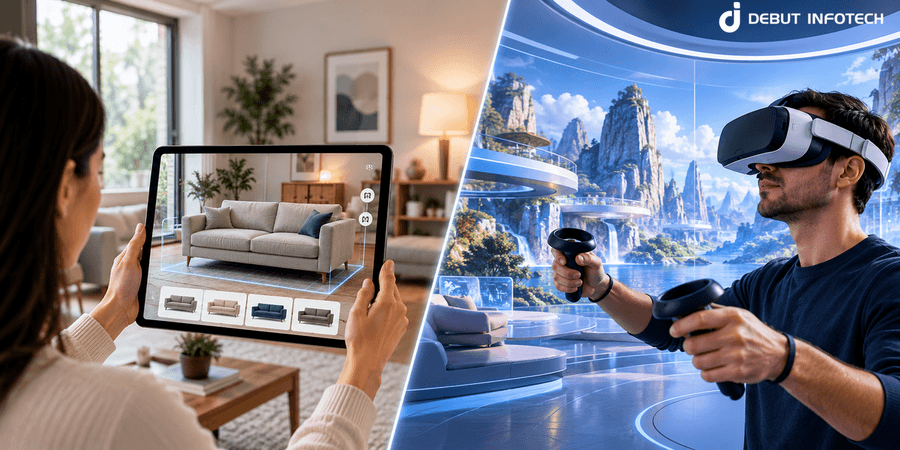


AR enhances the physical world, while VR creates immersive digital environments. AR suits product visualization and real-time operational guidance, whereas VR supports simulated training, virtual tours, and immersive learning.
Business use cases should determine the technology choice. Retail and field service applications often benefit from AR, while manufacturing simulations, architectural walkthroughs, and controlled training scenarios can benefit from VR.
Device accessibility directly affects user adoption. Mobile AR can reach users through compatible smartphones and tablets, whereas VR typically requires a compatible headset and additional hardware considerations.
AR and VR development complexity depends on the application scope. Spatial tracking, 3D asset creation, real-time rendering, backend integrations, and device compatibility influence engineering effort and testing requirements.
Development costs and timelines depend on technical requirements, not just the technology selected. Businesses should account for custom 3D models, hardware, integrations, performance optimization, and ongoing maintenance when planning budgets and delivery schedules.
User experience and measurable business outcomes should guide implementation. Define success metrics such as task completion time, training assessment results, or product engagement, and test usability, accessibility, and comfort on target devices.
A proof of concept or MVP can validate feasibility before full-scale development. Testing the core experience with representative users helps identify technical limitations, refine requirements, and determine whether AR, VR, or a combined approach justifies the investment.
Businesses are exploring immersive technologies to improve customer experiences, make training more effective and introduce new ways for people to interact with digital products. Two technologies driving these possibilities are augmented reality (AR) and virtual reality (VR). Although both create interactive digital experiences, they approach the user experience in very different ways.
Choosing between AR and VR involves more than deciding how an application should look or feel. It requires understanding the problem the technology needs to solve, the devices your audience will use and the experience you want to deliver. The right approach can make product visualization more engaging, training environments more realistic or complex processes easier to understand.
So, what is the difference between augmented reality and virtual reality, and which technology is better suited to a particular business application? Comparing their core capabilities, accessibility and development requirements is a useful starting point.
The main difference between augmented reality and virtual reality lies in how users experience digital content. AR adds digital elements to the physical world, allowing users to interact with virtual objects while remaining aware of their surroundings. VR creates a computer-generated environment that users can explore through an immersive experience.
The following comparison highlights how AR and VR differ in their user experience, technology requirements and potential business applications.
| Comparison factor | Augmented Reality (AR) | Virtual Reality (VR) |
| User experience | Adds digital elements to the user’s physical surroundings. | Immerses users in a computer-generated environment. |
| Physical environment | Keeps the real world visible while overlaying digital content. | Replaces the user’s primary visual experience with a virtual environment. |
| Devices and accessibility | Can run on compatible smartphones and tablets, as well as supported AR glasses. | Typically relies on a VR headset and compatible hardware. |
| Development requirements | May involve camera integration, environmental tracking, and accurate placement of digital objects. | Often requires immersive 3D environments, spatial interaction, and real-time rendering. |
| Business applications | Supports product visualization, virtual try-ons, navigation, and real-time assistance. | Supports employee training, equipment simulations, virtual tours, and immersive learning. |
| Suitable business goals | Helps users visualize digital content in real-world settings or complete physical tasks with digital guidance. | Enables realistic simulations and immersive experiences that are difficult to recreate in the physical world. |
Both technologies can create engaging digital experiences, but their suitability depends on the intended outcome. For example, a furniture retailer could use AR to let customers preview a sofa in their living room before purchasing it. A manufacturing company could use VR to train employees in a simulated factory environment before they work with actual equipment.
Development complexity also varies by project. A simple AR product viewer may require less engineering effort than a detailed VR training simulator. However, advanced AR features involving precise spatial tracking can be equally demanding. The final scope depends on the application’s functionality, target devices, 3D assets and integration requirements.
In simple terms, AR enhances the physical world with digital content, while VR creates an immersive digital environment. The next step is to understand which business problems each technology can solve and where each delivers the most practical value.
Businesses can use augmented reality (AR) and virtual reality (VR) to solve problems that traditional digital experiences often struggle to address. These technologies can make products easier to evaluate before purchase. They can also create realistic training environments and help employees understand complex tasks without relying entirely on physical demonstrations.
The choice between AR and VR depends on what users need to accomplish. AR is generally more suitable when digital information needs to work alongside the physical world. VR is a stronger fit when users need a controlled environment to practise skills or experience a situation that is difficult to recreate in real life.
Customers may hesitate to purchase a product when they cannot understand its size, appearance, or suitability from photographs alone. This is particularly relevant to furniture, home décor, fashion, and products with multiple design options.
Augmented reality can address this challenge by allowing customers to preview digital products in their surroundings. For example, a furniture retailer could let shoppers place a virtual sofa in their living room using a smartphone camera. Customers can assess how the product fits their space before making a purchase decision.
AR product visualization is useful when the relationship between a product and its real-world surroundings influences the buying decision. It can make online shopping more interactive and give customers additional information before they commit to a purchase.
Training employees on complex equipment or unfamiliar procedures can require specialist facilities and supervised practice. In some situations, mistakes during training can also damage equipment or create safety risks.
Virtual reality allows businesses to create simulated environments where employees can practise tasks without interacting with actual machinery or entering hazardous locations. For example, a manufacturing company could use a VR training application to teach workers how to respond to equipment failures or follow emergency procedures.
VR-based training is particularly valuable when employees need repeated practice in a realistic environment. Instructors can design scenarios that would be expensive or impractical to recreate during conventional training sessions.
AR can also support employee training when the goal is to guide someone through a task involving real equipment. The choice depends on whether employees need to practise in a simulation or receive guidance while working in their actual surroundings.
Businesses that sell complex products may find it difficult to demonstrate their capabilities through conventional video calls or static product presentations. Customers may need to understand how a product operates before they can evaluate whether it meets their requirements.
AR and VR offer different approaches to remote product demonstrations.
Maintenance teams often need to interpret technical instructions while working with physical equipment. Searching through manuals or contacting a specialist can slow down troubleshooting and increase the likelihood of procedural errors.
AR applications can display digital instructions alongside real-world equipment. Using a compatible device, a technician could view step-by-step guidance or highlighted components while inspecting a machine. This can make complex procedures easier to follow and help less experienced employees access relevant information during maintenance.
VR serves a different purpose. It allows technicians to practise maintenance procedures in a simulated environment before working on operational equipment. This is especially useful when training involves expensive machinery or procedures that carry safety risks.
For businesses considering AR for maintenance, the quality of the guidance matters as much as the visual experience. The application may need accurate equipment models and regularly updated technical information to remain useful.
Traditional learning materials can make it difficult for people to understand complex subjects that involve spatial relationships or practical interaction. Textbooks and videos can explain a process, but they may not give learners the opportunity to explore it directly.
AR and VR can make learning more interactive by allowing users to engage with digital content rather than simply observe it.
AR is useful when learners benefit from connecting digital information with the world around them. VR is more appropriate when the learning objective requires immersion or hands-on practice in a simulated environment.
The effectiveness of either approach depends on how well the experience supports the learning objective. Immersive features should make a concept easier to understand rather than add complexity without a clear educational benefit.
Before investing in AR or VR app development, businesses should identify the specific problem they want to solve. The technology should follow from the requirement rather than the other way around.
Consider these questions when evaluating your project:
Ultimately, the value of augmented reality and virtual reality comes from how effectively they address a real business need. Once that need is clear, businesses can assess the appropriate experience and determine the technical requirements for implementation.
The applications of augmented reality (AR) and virtual reality (VR) vary significantly across industries. Their implementation may involve specialized workflows, industry-specific software and digital models designed for particular tasks. Understanding these differences helps businesses identify where immersive technology can fit into their existing operations.
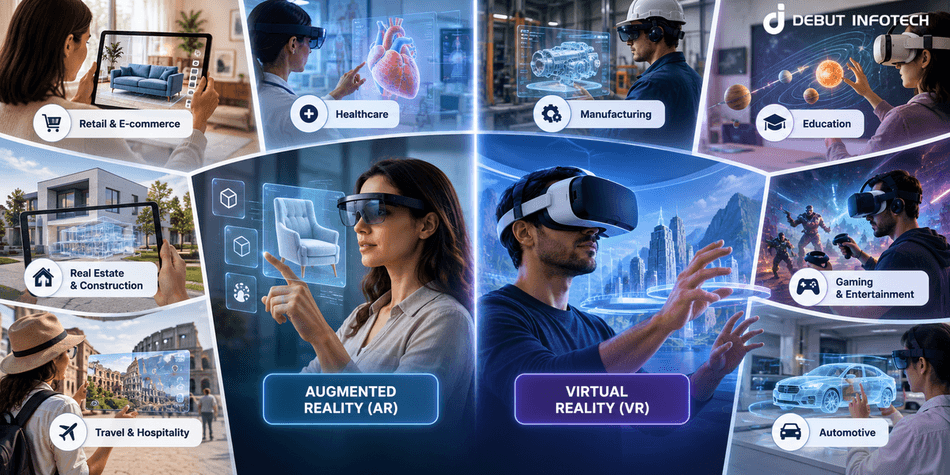
Businesses exploring digital solutions for clinical workflows can also consider healthcare app development alongside AR and VR experiences.
The most suitable AR or VR solution depends on the industry’s workflows and the task users need to complete. These implementation examples provide a starting point for identifying requirements before moving into technology selection and development planning.
The success of an augmented reality or virtual reality application depends on more than its visual quality. Users need to understand how to access the experience, navigate its interface and complete their intended tasks without unnecessary effort. When comparing AR vs VR, businesses should consider the entire user journey. An application may offer advanced features, but if users struggle with setup or find the controls confusing, they may be less likely to continue using it.
Augmented reality applications can often run on compatible smartphones and tablets, allowing users to access digital experiences through familiar devices. Depending on the application, users may need to grant camera permissions or follow simple instructions to position digital objects correctly. Virtual reality applications generally require a compatible headset and an initial setup process. Users may need to adjust the headset, configure controllers, and establish a safe play area before starting. These differences matter when deciding how easily the target audience can access the application. A consumer-facing experience may benefit from a quick setup, while a specialized VR application can justify additional preparation if it delivers sufficient value.
The interaction model also shapes the difference between AR and VR. In mobile AR applications, users may tap the screen, move their device, or use supported gestures to position and manipulate digital objects within their surroundings. VR applications create a different experience by allowing users to interact with a simulated environment through head movement, controllers, hand tracking, or other supported input methods. Developers need to ensure that these controls feel intuitive for the intended audience. Mobile AR interfaces should account for screen size and device movement, while VR interfaces must help users understand spatial orientation and navigate three-dimensional environments without confusion.
The amount of guidance users need depends on the complexity of the experience. An AR application may require brief instructions for camera permissions, surface detection, or object placement. A VR application may need a more structured introduction to movement controls, navigation, and object interaction. The onboarding process should match the user’s familiarity with the technology. For example, a consumer application should make its primary functions easy to understand, whereas a specialized professional application may require guided practice before users can operate it confidently. Clear instructions and well-designed interface cues can reduce frustration and help users reach their intended goals more quickly.
Physical comfort is another important consideration when evaluating the user experience. AR users generally remain aware of their physical surroundings, but prolonged use of a handheld device can cause arm fatigue. Unstable tracking or poorly positioned digital elements can also make interactions difficult. VR presents different challenges because some users may experience motion sickness, eye strain, or disorientation during immersive experiences. Rapid artificial movement and inconsistent visual feedback can increase discomfort for susceptible users. Developers should therefore consider comfortable movement options and allow users to pause or adjust the experience. Testing with representative users is essential because comfort levels vary from person to person.
Device availability can influence how widely an application can be used. Smartphone-based AR may be accessible to people who already own compatible devices, although camera permissions, hardware performance, lighting conditions, and the surrounding environment can affect the experience. VR typically requires dedicated hardware, which may introduce additional costs and limit access for some users. Accessibility also extends beyond device ownership. Applications should consider different physical abilities and interaction needs, provide clear instructions, and offer alternative ways to complete important tasks where practical. Businesses should evaluate the devices their intended audience actually uses rather than assume that a particular technology will be accessible to everyone.
A well-designed AR or VR application should help users complete a task without unnecessary steps. AR is often suitable when users need digital information alongside their physical surroundings. Its interface should present relevant content clearly without obstructing the user’s view or requiring repeated adjustments. VR can provide a dedicated environment for activities that benefit from immersive interaction, but complicated controls and unnecessary navigation can distract users from the task itself. Businesses should evaluate the complete user journey and observe where people hesitate, make mistakes, or require assistance. These findings can help developers improve the interface before the application is introduced to a wider audience.
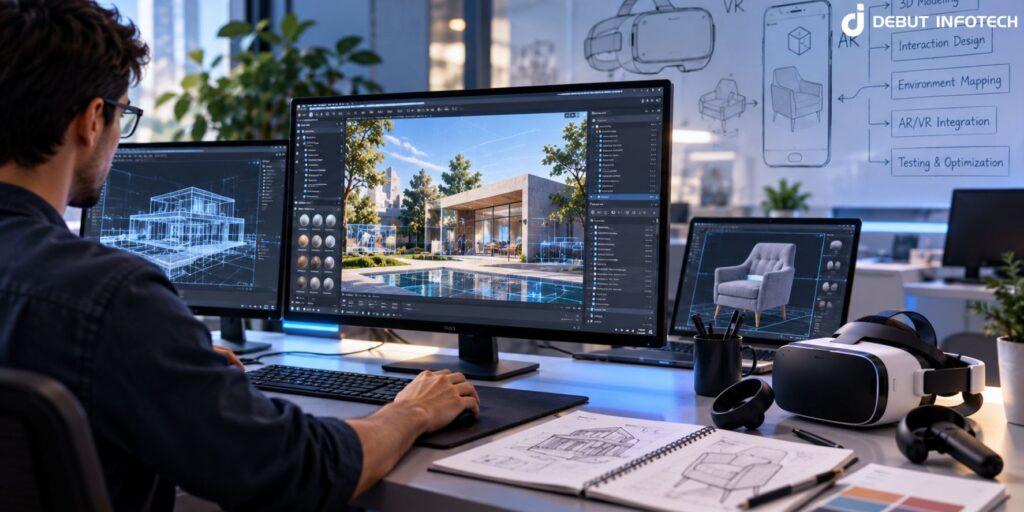
Building an augmented reality or virtual reality application involves more than creating 3D visuals. Developers need to select the right platform, prepare digital assets, choose suitable tracking methods, and ensure the application performs reliably on its target devices. These decisions influence the development scope, technical complexity, and long-term maintenance requirements.
The technology stack for AR and VR app development depends on the product’s purpose. A mobile AR application may rely on a device’s camera and motion sensors, while a VR application may require a dedicated headset and a system capable of rendering detailed virtual environments in real time. Understanding the following requirements helps businesses plan their projects with fewer technical uncertainties.
The first decision is where the application will run. The target platform affects how users interact with the product and which hardware capabilities developers can access.
Mobile AR applications can use compatible smartphones and tablets to display digital content over a camera view. This can make distribution easier when the target audience already owns suitable devices. More advanced AR experiences may require supported AR glasses or specialized hardware.
VR applications typically run on standalone headsets or headsets connected to a computer. The choice depends on the required graphics quality, processing power, mobility, and available budget.
Before selecting a platform, businesses should consider:
Three-dimensional assets are a major part of many AR and VR applications. These assets may include product models, machine components, architectural spaces, characters, or interactive objects. Their quality affects visual accuracy, while their complexity influences loading times and rendering performance.
For AR app development, digital models often need to match the real-world dimensions and appearance of the objects they represent. A product visualization application, for example, needs accurate proportions so customers can judge how an item might fit into their surroundings.
VR app development may require complete environments with realistic lighting, textures, and interactive objects. A detailed virtual environment can demand significantly more modelling and optimization work than a simple scene.
Businesses should establish the asset requirements early:
Reusing existing digital assets can reduce duplicated work, but files may still need conversion, cleanup, and optimization before they are ready for an interactive application.
AR applications often need to understand aspects of the physical environment so digital content appears in the correct position. Depending on the use case, the application may detect surfaces, estimate device movement, recognize images, or use spatial information to position virtual objects.
For example, an AR application that places a digital object on a table needs to identify a suitable surface and keep the object aligned as the device moves. Poor tracking can cause the object to drift or appear unstable.
VR applications have different tracking requirements. They need to track the user’s head position and orientation, and may also need to track controllers or hands. More advanced experiences can require room-scale tracking so users can move through a virtual environment.
The main development considerations include:
The right tracking approach depends on the experience being built. A simple AR overlay may need fewer capabilities than an application that anchors detailed digital objects to specific locations.
AR and VR applications must respond to user actions while continuously updating the displayed scene. This requires efficient processing of visual content, movement, and interactions. Slow responses or inconsistent rendering can make an application feel unreliable and may affect comfort, particularly in immersive VR experiences.
AR applications need to maintain a stable relationship between digital objects and the physical environment. They may also need to adjust rendering based on camera input and changing device positions.
VR applications must render an immersive scene from the user’s changing viewpoint. The application needs to maintain performance that meets the target headset’s requirements to reduce visual interruptions and discomfort.
Developers may need to make decisions about:
High visual quality is useful only when the application remains responsive. Performance requirements should therefore be established before major development work begins.
Not every AR or VR application needs a complex backend. A standalone experience with a small number of fixed scenes may operate largely on the device. Applications that manage user accounts, shared content, business data, or ongoing user activity may require additional backend services.
For example, an enterprise AR application could retrieve the latest maintenance instructions from an internal system. A VR training platform could store learner progress and provide reports to administrators.
Depending on the project, the application may need:
These requirements should be defined during planning. Integrations can introduce additional development and testing work, especially when the application must connect with existing enterprise software or handle frequently changing information.
An application that performs well on one device may behave differently on another. Differences in processing power, memory, sensors, operating systems, screen resolution, and headset capabilities can affect the user experience.
For this reason, AR and VR app development should include testing on the actual hardware the application is intended to support. Testing only in a development simulator may not reveal every issue that appears in real-world use.
A practical testing plan should cover:
Testing early can reveal technical limitations before they affect the entire project. It also helps businesses avoid committing to features that cannot perform reliably on their chosen hardware.
Before selecting an AR or VR development company, businesses should establish the application’s main requirements and technical constraints. A clear scope makes it easier to assess feasibility, estimate effort, and prioritize the features that matter most.
Start by documenting the intended users, target devices, required interactions, digital asset needs, and any integrations with existing systems. Then identify the features that must be included in the initial release and those that can be introduced later.
This planning process helps align the technology with the business objective. It also provides a more reliable basis for estimating development costs and timelines, which depend on the complexity of the experience rather than on whether the project uses AR or VR alone.
Choosing between augmented reality (AR) and virtual reality (VR) starts with the outcome you want to achieve. Both technologies can support interactive digital experiences, but the right option depends on how users will interact with the application and what they need to accomplish.
For businesses planning an AR or VR application, the decision should consider the intended use case, target audience, available budget, and expected business value. The following factors can help narrow down the most suitable approach.
Consider whether users need to interact with their actual surroundings while using the application. This is one of the clearest ways to distinguish between AR and VR.
AR is generally a better fit when digital content needs to appear alongside real-world objects. For example, a business developing a product configuration application may want customers to view different product finishes within an actual room. Similarly, field service teams may need digital information that relates directly to the equipment they are inspecting.
VR is more suitable when the experience can take place in a dedicated digital environment. Users can explore a simulated space without relying on their immediate physical surroundings as the main part of the experience.
Before choosing, identify whether the physical environment is essential to the task or whether a simulated environment would serve the purpose more effectively.
Some applications benefit from placing users inside a digital environment, while others require only a limited layer of interactive content.
AR can be appropriate when users need additional information without losing sight of the real world. This approach can be useful for applications where users move between digital information and physical tasks.
VR may be the better option when the experience depends on immersion. For instance, a company creating a virtual environment for architectural design reviews may want stakeholders to experience room proportions and spatial relationships at scale rather than examine them on a conventional screen.
The key question is whether immersion improves the intended task. If it does not provide a meaningful advantage, a simpler AR experience or conventional application may be more practical.
The accessibility of the required hardware can influence adoption and deployment costs. A technology that works well in a controlled environment may be less suitable if the intended users cannot easily access the necessary devices.
Mobile AR can reach users through compatible smartphones and tablets. This may be useful for customer-facing applications where installing dedicated hardware would create unnecessary friction.
VR typically requires a compatible headset. Businesses deploying VR internally can plan for a defined set of devices, while customer-facing applications may need to account for the additional cost and availability of that hardware.
Evaluate the devices your audience already owns or can reasonably access. The decision should also account for where the application will be used and whether users need to access it occasionally or as part of their daily work.
The technology should support a measurable objective rather than become the objective itself. Before investing in AR or VR app development, define what the application needs to improve and how you will evaluate its effectiveness.
For example, an e-commerce business may want to help customers understand product dimensions before purchasing. A company investing in immersive training may want to evaluate learner performance or reduce reliance on expensive physical training setups.
The expected outcome will influence the type of experience worth building. It will also help determine which features are essential and which can be postponed.
Set relevant success measures before development begins. Depending on the project, these could include task completion time, user engagement, training assessment results, or customer interaction with a product.
AR and VR development costs depend on the scope of the application, the quality of its digital assets, the required interactions, and the complexity of its integrations. Neither technology is automatically cheaper in every situation.
A focused AR application that displays a small collection of optimized 3D models may be relatively straightforward to build. A more advanced AR experience involving precise tracking and real-time data could require substantially more work. Similarly, a simple VR environment may be less demanding than a detailed simulation with complex interactions and performance requirements.
When assessing your budget, account for more than the initial build. Consider digital asset production, device testing, ongoing maintenance, and future feature updates. Also evaluate whether your team has the resources to manage the application after launch or whether ongoing development support will be required.
A realistic budget should reflect the features needed to achieve the intended outcome, not simply the number of features you want to include.
Once you have evaluated the main decision factors, the choice becomes easier to narrow down.
Choose augmented reality when:
Choose virtual reality when:
Consider combining AR and VR when:
For example, a manufacturing business could use VR to introduce employees to a simulated production environment before using AR to provide digital guidance during selected tasks on the factory floor. This approach may be justified when both experiences serve distinct purposes within the same workflow.
However, combining AR and VR also introduces additional development, testing, and maintenance requirements. It should be considered only when the combined experience offers sufficient value to justify the extra complexity.
There is no universal winner in the comparison between augmented reality and virtual reality. AR may be the better choice for experiences that depend on the physical environment, while VR can be more effective when immersion is central to the task. A combined solution may be appropriate when both approaches serve complementary purposes.
Before moving forward, document the problem, identify the intended users, define the expected outcome, and establish the constraints of the project. These decisions provide a clearer basis for selecting the technology and determining what the initial application should include.
If the requirements are still uncertain, start by validating the core idea through a focused prototype. Testing the proposed experience with representative users can help establish whether AR, VR, or a combined approach is worth pursuing before committing to a larger development investment.
Before investing in full-scale AR or VR app development, businesses should validate their idea to confirm that the proposed experience is useful, technically feasible, and worth developing. A structured approach can help reduce uncertainty and avoid spending resources on features users may not need.
Validating an AR or VR application before development gives businesses a clearer understanding of its feasibility and potential value. It also provides a stronger foundation for defining the project scope, estimating costs, and planning the next stage of development.
Building an augmented reality or virtual reality application requires a clear development strategy and a strong understanding of the intended user experience. Debut Infotech can work with businesses to translate their requirements into a defined development scope and a practical implementation plan.
Whether you are exploring an AR product experience or planning an immersive VR application, the first step is to define what you want the technology to achieve.
Planning an AR or VR project? Discuss your application requirements with Debut Infotech to explore the appropriate development approach for your business.
Neither technology is universally better. Augmented reality is generally suitable when users need digital information alongside the physical world. Virtual reality is a better fit when an application requires an immersive simulated environment. The right choice depends on the intended use case, target audience, and business objectives.
The cost of AR or VR app development depends on the application’s features, interaction complexity, 3D assets, target devices, and integration requirements. A simple application with limited functionality will generally require less development effort than a complex experience with advanced tracking or detailed simulations. A defined project scope is essential for preparing a realistic estimate.
The development timeline depends on the project scope and technical complexity. A focused proof of concept may take considerably less time than a complete application with custom 3D assets, backend integrations, and support for multiple devices. Testing and optimization should also be included when planning the delivery schedule.
Yes. A project can incorporate both technologies when different stages of a workflow require different experiences. For example, users might explore a simulated environment through VR and then access contextual digital guidance through AR. However, combining both approaches increases the scope and should be considered only when it provides a clear benefit.
Not always. Many AR applications can run on compatible smartphones and tablets using their cameras and supported software capabilities. More advanced experiences may require specific sensors or AR glasses. Device compatibility should be verified against the application’s functional requirements before development begins.
The technology stack depends on the target platform and the experience being built. Development engines such as Unity and Unreal Engine can support interactive 3D experiences. Platform-specific frameworks may provide access to AR capabilities, while VR development may require integration with supported headset platforms. The final selection depends on performance needs, device support, and project requirements.
Businesses can begin with a proof of concept that demonstrates the most important functionality. A small prototype can help assess technical feasibility and gather feedback from representative users. The results can then guide decisions about the features, budget, and scope of the complete application.
Look for a development partner that understands your business requirements and can explain the proposed technical approach clearly. Evaluate its ability to define the project scope, plan the user experience, assess device compatibility, and outline testing and maintenance requirements. A clear development plan and realistic expectations are important when evaluating potential partners.

Our Latest Insights


USA
2501 Chatham, Rd Suite R Springfield, IL 62704
+1-708-515-4004
info@debutinfotech.com
UK
7 Pound Close, Yarnton, Oxfordshire, OX51QG
+44-770-304-0079
info@debutinfotech.com
Canada
154 Eden Oak Trail, Kitchener, ON N2A 0H9
+1-708-515-4004
info@debutinfotech.com
INDIA
Sector 101-A, Plot No: I-42, IT City Rd, JLPL Industrial Area, Mohali, PB 140306
9888402396
info@debutinfotech.com