ON THIS PAGE
Progress0%






Our Global Presence :


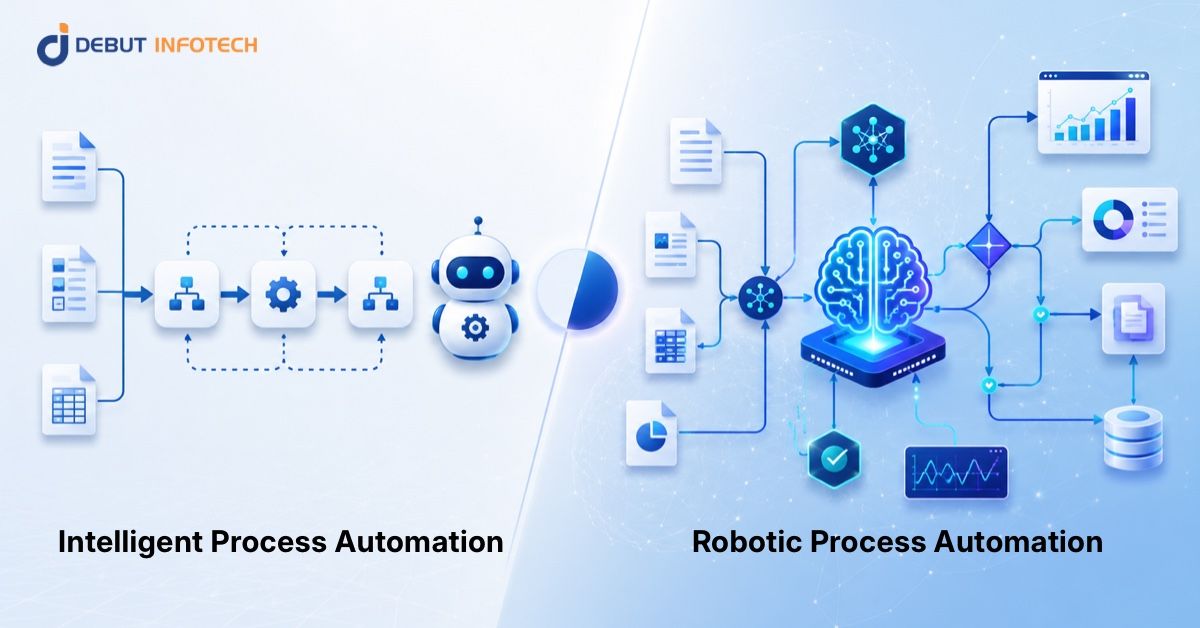


For a long time, automation was all about efficiency: complete a repetitive task, hand it to a bot and watch it run the process at high speed. That worked well for simple processes like data entry, report generation, and moving information between systems.
But today’s business processes are rarely that simple.
Teams now deal with messy documents, customer emails, approval delays, compliance checks, exceptions, and decisions that cannot always be solved with basic rules. That’s why intelligent process automation is playing a key role in digital transformation.
While RPA typically relies on rigid rules, intelligent process automation combines artificial intelligence (AI), machine learning, natural language processing, workflow automation and analytics to help companies automate more complex tasks. It not only helps get work done; it can help understand information, prioritise cases, identify risks and assist decision making.
The momentum is clear. In fact, nearly 80% of leaders believe generative AI will change their business in the next three years, according to Deloitte’s 2024 enterprise AI survey, indicating that businesses are now moving from basic automation to more intelligent, AI-driven processes.
In this guide, we will explore the differences between intelligent process automation and RPA, where to use each, and how to choose the right tool for your business.
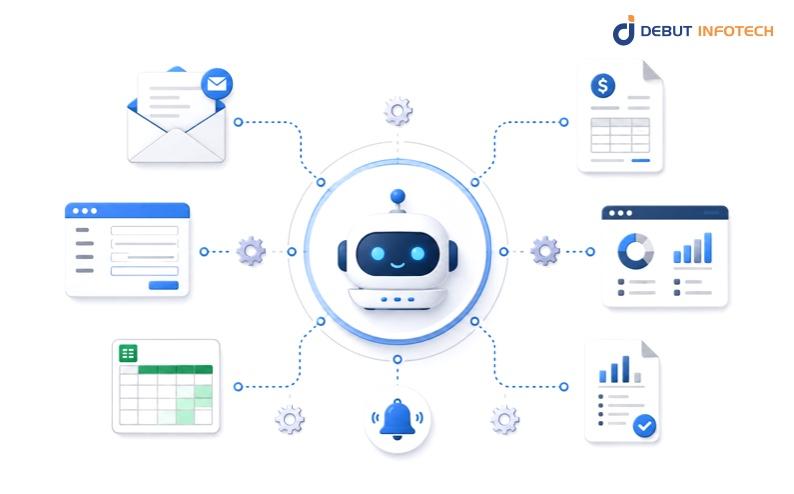
Robotic Process Automation (RPA) is a technology that uses software “bots” to automate rule-based, routine tasks in digital systems. These bots are not physical robots. They are software programs that operate within business applications in the same way a human would: launching applications, inputting data, copying and pasting information, validating fields, generating reports and issuing notifications.
In brief, RPA is helpful when a business process is repeated over and over again. Rather than requiring someone to do these things over and over again, we can train a bot to complete the process.
Let’s consider a finance officer who processes invoices.They might need to check their email, extract an invoice, copy the invoice number, record the amount in an accounting system, update a spreadsheet and send an email. If this process is highly repetitive, RPA can automate many of these tasks.
RPA works by following instructions. A bot is programmed to automate a process by following rules like:
This is why RPA is sometimes called rule-based automation. It does not make complex decisions on its own. It does not have human understanding. It just follows the process it is programmed with.
This makes RPA great for structured processes, particularly those where there are no ambiguities in the data and the processes do not change frequently.
RPA is most effective in departments where people perform a lot of routine administrative tasks. The areas include finance, human resources, customer service, procurement, healthcare administration, bank operations, and supply chain management.
Typical tasks include data entry for invoices, payroll processing, managing customers, onboarding employees, processing orders, generating reports and carrying out simple compliance checks.
For companies developing an enterprise automation strategy, RPA can be a good first step because it can boost efficiency quickly while allowing these companies to keep the same systems. Often, RPA is used in conjunction with existing software.
The primary benefit of using RPA is that it saves time and effort. By automating manual tasks such as copying and pasting data or updating records, employees can spend their time on tasks that require human skills such as decision-making, problem solving, customer interaction and judgment.
RPA can also improve accuracy. When people repeat a manual task, they’re more likely to make errors, particularly when stressed or fatigued. A properly designed bot can perform the same task every time (assuming the process and data don’t change).
This can result in shorter cycle times, improved productivity, reduced costs and more accurate reports.
RPA can be powerful, but it is not a fit for all processes. A simple RPA bot does not know context and has limited flexibility for unexpected situations. If the form changes, the button on the web page moves, the document is in the wrong format, or the customer’s question needs to be interpreted, the bot may not work or may need assistance.
This is the key distinction between RPA and more sophisticated kinds of automation. RPA can perform tasks according to instructions, but it cannot think, learn, or comprehend information.
That’s why RPA is suitable for predictable, repeatable and rule-driven processes. For processes that involve unstructured documents, variable data, customer communications, exceptions and decision making, intelligent automation powered by artificial intelligence (AI) or machine learning (ML) may be required.
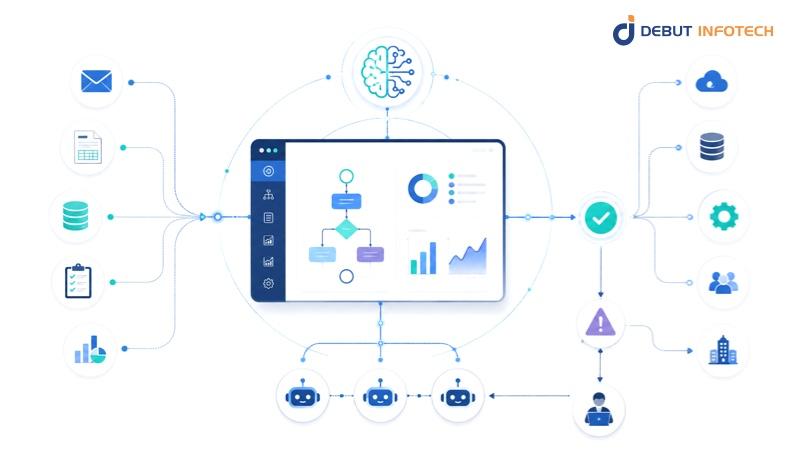
Intelligent Process Automation (IPA) is a better way to automate more complex business processes.
Simple automation is good when the process is straightforward, for example, copying customer details from one database to another, downloading reports, or changing data. But many business processes are more complicated than that.
For instance, a customer may send you an email with incomplete information. An invoice may arrive in a different format. A compliance process may need to review documents prior to approval. Such processes can include context, judgement, exceptions and multiple systems, which may be difficult to automate.
This is where intelligent process automation is useful. It involves robotic process automation with other technologies such as artificial intelligence, machine learning, document processing, analytics, workflow management and other tools. This allows companies to not only automate routine tasks, but also processes that involve data, decisions, approvals and exceptions.
RPA is like a worker who follows instructions. Intelligent process automation is more like a smart digital worker that can gather data, understand what is happening, identify issues, assign the work, and even help to make decisions.
This is not to say IPA should be used to replace people entirely. Often, it’s more effective to have people in the loop, particularly in cases where decisions are sensitive, compliance needs to be checked, or cases are unusual or affect customers.
Think about invoice processing. Using basic RPA, a bot can copy and paste invoice information from one system into another. This approach works if all invoices are in the same format and the information is clearly presented.
However, business documents are not standardized. Invoices can come in different formats, with missing details and amounts that need to be approved before payment. Intelligent process automation can help read various invoice layouts, pull out the relevant details, match them against purchase orders, detect the odd amounts, route exceptions to the finance team, and update the system when payment has been authorised.
This is where AI workflow automation makes a difference. It not only speeds up one task but also enables the whole process to flow more efficiently.
Intelligent process automation is used in businesses to automate tasks that are routine but require some level of comprehension or support. In finance, it can be used to help process invoices, approve payments, check expenses and reconcile accounts. In healthcare, it can support claims processing, billing, scheduling and processing patient data. In customer service, it can help sort emails, route tickets, prioritise complaints, and help respond quicker.
It can also be applied in human resources, insurance, procurement and compliance, particularly where much time is spent reviewing documents, responding to requests, transferring data between systems and resolving exceptions.
IPA is most suitable when a process has high volume, involves repeated manual verification, documents or emails, multiple approvals, and data is stored in multiple systems. It is particularly helpful when employees spend too many hours reading, checking, distributing and manually updating information.
However, IPA is not a quick fix for every business problem. If a process is not well understood, the data is not accurate, or the business rules are not stable, using IPA can make the process more confusing. An inefficient process should be analysed and optimised before automation.
RPA is best suited for simple tasks, while Intelligent Process Automation is designed for more complex tasks that may include data interpretation, approvals, exceptions and decision-making.
Here’s a breakdown of the differences:
| Comparison Area | RPA | Intelligent Process Automation |
| Main focus | Automates repetitive tasks | Automates more complex workflows from start to finish |
| Best for | Rule-based activities like copying data, updating records, or generating reports | Processes involving documents, approvals, decisions, exceptions, and customer requests |
| Data type | Works best with structured data | Can handle structured and unstructured data, such as emails, PDFs, forms, and scanned documents |
| Decision-making | Follows fixed instructions | Uses AI, rules, analytics, and human review to support smarter decisions |
| Flexibility | Less flexible when processes change | More adaptable when workflows involve variations or exceptions |
| Human involvement | Usually needed when something falls outside the bot’s rules | Humans can be included at key decision points through review and approval workflows |
| Implementation complexity | Usually faster and simpler to deploy | Requires stronger planning, data quality, governance, and system integration |
| Business value | Saves time and reduces manual effort | Improves speed, accuracy, visibility, and decision support across larger processes |
| Common examples | Data entry, report downloads, invoice status updates, payroll updates | Claims processing, customer request handling, loan review, invoice intelligence, compliance workflows |
| Best-fit organization | Teams looking for quick efficiency gains | Businesses moving toward intelligent automation in enterprises and wider digital transformation |
To get a real sense of how intelligent automation in enterprises work, we should examine its application in solving real business challenges. It is not only about making tasks faster. It is about assisting teams to minimise mistakes, streamline workflows and improve their ability to concentrate on tasks that require human intelligence.
In finance, automation is often applied to automate invoice processing, account reconciliation, fraud detection, loan document analysis and compliance reporting.
Rather than people taking hours to transfer data between financial systems, automation can sort, categorise, and prioritise financial data, identify anomalies and streamline approval procedures. This allows finance teams to improve accuracy, speed up processes, and ensure they are always audit-ready.
This allows finance staff to improve accuracy, speed up processes, and ensure they are always audit-ready.
Healthcare teams are frequently juggling a lot of paperwork while also needing to ensure patient safety and privacy.
Automation can help with scheduling appointments, processing claims, maintaining patient records, checking patient bills, and managing referrals. If implemented correctly, it can streamline administration and free up time for patient care.
Healthcare deals with confidential data, so automation needs to prioritise privacy, accuracy and compliance.
Insurance companies handle a huge amount of claims, policies, customer details and documents.
Automation can be used to manage claims, update policies, verify customer information, assess risk and review documents. For instance, a basic claim can be processed quickly for rapid processing, while a complex or sensitive claim can be referred to a human for further investigation.
This speeds up the process without taking humans out of the loop.
For retailers, automation can enhance both the customer and back-room experience.
Automation can help with inventory management, order processing, customer inquiries, returns, price verification and vendor management. This can enable retailers to deliver products more quickly, avoid bottlenecks, and maintain smooth operations between online and offline channels.
Manufacturing teams are all about timing, precision and coordination. Any slowdown in one aspect of the process can impact production, shipping and customer experience.
Automation can help quality control reporting, purchasing, production scheduling, maintenance and supplier documentation. This can help manufacturers detect issues early, minimise downtime, and align production, supply chain, and operations.
For HR, automation can help deliver better support to employees, with faster response times and consistency, reducing the burden on the internal team.
It can streamline hiring, leave requests, payroll queries, applicant screening, employee records and internal support requests. This allows HR specialists to spend more time on employee engagement, culture, training and development.
The decision to use RPA or intelligent process automation is clearly not a technology choice. It’s a business decision that impacts productivity, cost, customer experience, compliance, scalability and more. If your business objective is to automate basic tasks, then RPA may be the right choice. But if you need to automate complex processes, unstructured data, exceptions, approvals, and AI-powered decision making, intelligent process automation is the better choice.
At Debut Infotech, we support organizations to evolve beyond simple automation to intelligent, scalable, and impactful AI systems. As a leading AI development company, our experts collaborate with enterprises to understand the automation needs, design intelligent workflows, embed AI technologies, and build solutions that drive tangible business outcomes.
Whether it is AI-based process automation, predictive analytics, tailored workflow solutions, document intelligence, or enterprise-grade digital transformation strategies, Debut Infotech helps companies streamline operations, minimise human effort, improve efficiency and accuracy, and drive faster decision-making.
The future of automation is not about replacing people. It is about empowering enterprises to work smarter, faster and with greater efficiency. With Debut Infotech, businesses can create smart process automation solutions that are pragmatic, secure, and focused on business goals.
A. Intelligent process automation (IPA) is the use of advanced technologies to automate business processes that are too complex for basic automation.
It brings together RPA, artificial intelligence, and machine learning to handle tasks that may involve documents, data, decisions, or exceptions.
Unlike traditional automation, IPA does not only follow a fixed set of instructions. It can process unstructured information, identify patterns, improve over time, and support smarter decision-making.
This is why businesses use intelligent process automation for workflows such as invoice processing, claims handling, customer support, compliance checks, and approval management.
A. It depends on what your business needs to automate.
RPA is useful for predictable tasks that follow the same steps every time, such as data entry, report creation, and system updates.
Intelligent Process Automation, or IPA, is better for workflows that involve documents, emails, exceptions, approvals, or data-based decisions.
In short, RPA handles routine tasks, while IPA helps enterprises automate more complex processes from start to finish.
A. The cost of Intelligent Process Automation (IPA) depends on the project’s complexity, the number of systems involved, and the level of AI needed.
A simple setup may cost $10,000 to $50,000+, while advanced AI-powered bots can exceed $150,000. Businesses should also budget for licensing, consulting, maintenance, and support.
For large enterprise rollouts, annual costs can reach $500,000 to $1 million+, depending on scale and customization.

Our Latest Insights

USA

2501 Chatham, Rd Suite R Springfield, IL 62704
+1-708-515-4004
info@debutinfotech.com
UK

7 Pound Close, Yarnton, Oxfordshire, OX51QG
+44-770-304-0079
info@debutinfotech.com
Canada

154 Eden Oak Trail, Kitchener, ON N2A 0H9
+1-708-515-4004
info@debutinfotech.com
INDIA

Sector 101-A, Plot No: I-42, IT City Rd, JLPL Industrial Area, Mohali, PB 140306
9888402396
info@debutinfotech.com

9001:2015
Quality Certified

ISO 27001
Security Certified

A+ Rating
Accredited Business

Certik
Security & Audit


Copyright © 2026, Debut Infotech. All rights reserved. | Privacy Policy